
Mobile job-site documentation
Construction site documentation without group-chat chaos
Photos and updates are assigned to the right job immediately. The result is a useful project history instead of a search across phones and messages.
- Store site photos directly with the job
- Keep descriptions and capture time understandable
- Give field crews and office staff one project history
For trade businesses with employees and several active field jobs.
The everyday problem
A large number of photos is not the same as useful documentation
Images in private galleries, chat threads, and emails lose their context. Later, nobody can confidently connect them to the right job and work step.
Photos without a job
An image alone does not explain where, when, or why it was captured.
Spread across devices
Evidence remains on several phones and has to be collected for every question.
An incomplete history
Notes, site presence, and photos never form one chronological project record.
How it works
Document the job while the context is still clear
Useful documentation is created on site with only a few steps and an unambiguous job assignment.
-
1
Open the job
Crews work in the context of the actual site rather than a general photo gallery.
-
2
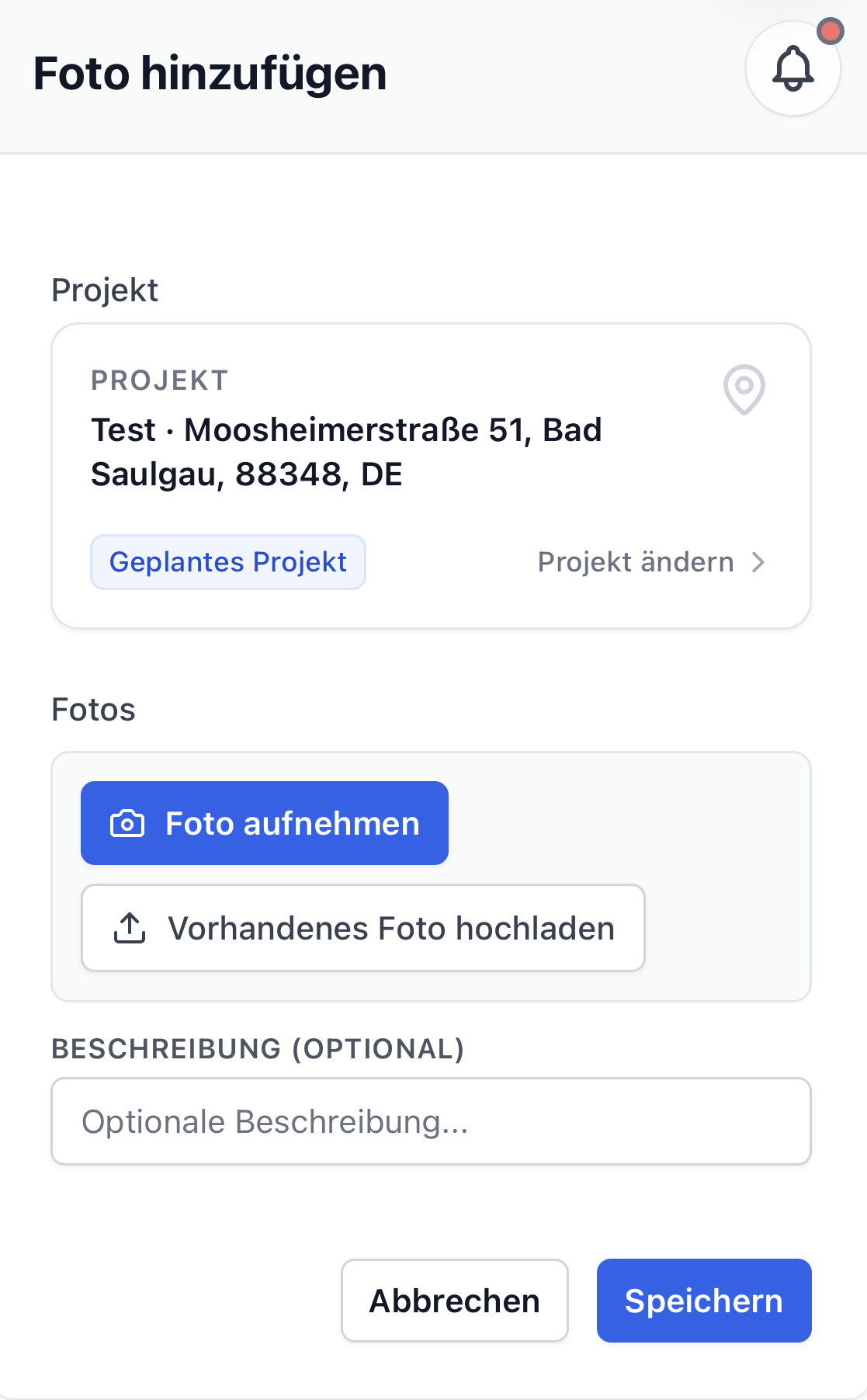
Capture a photo and note
Take an image, add a short description when needed, and save it.
-
3
Use one shared history
Office staff and authorized crew members find the information on the same job later.

From the field to the office
More than photos: an understandable job history
Toolbox brings important site information together under the job. That makes handovers and later questions easier to handle.
- Photos remain connected to a job and capture time
- Less searching through private galleries and chat threads
- A better basis for internal and customer questions
Is Toolbox a good fit?
For businesses with several active sites and mobile crews
A good fit when …
- ✓Photos reach the office through several different channels.
- ✓Several employees document the same job.
- ✓Project information must remain available weeks later.
Probably not when …
- –You require a contract-specific, legally prescribed site diary.
- –You only need a general cloud storage service.
- –Photos and project documentation are not part of your workflow.
Frequently asked questions
Clear answers to practical questions
Can photos be taken directly on site?
Yes. Photos can be captured on a phone and assigned to the appropriate job.
Can employees add a description?
Yes. An optional description makes the purpose of the image easier to understand later.
Does this replace a legally required site diary?
Toolbox combines photos, notes, and activities. Whether that covers contractual requirements must be checked for your specific case.
Can we test documentation on one job?
Yes. One active job is a good scope for a first pilot.
Related topics
Useful next steps
Start small instead of launching a major project
Test site documentation on one job
We will select a manageable job and check whether photos and updates arrive in the office more reliably.
After confirmation, we will contact you personally. No automated sales process.
